Tutorial 2: Generating surrogate subcortical maps
While the majority of spatial nulls work best with cortical data in surface space,
eigenstrapping can also generate nulls based on subcortical data in volumetric
space. If you have these two things:
A subcortical map, i.e., a volume or delimited *.txt file
A mask image, i.e., a label volume
then generating subcortical nulls is simple.
You would call the function in a similar manner as the cortical fit:
>>> from eigenstrapping import fit, datasets
>>> hipp_data, hipp_mask = datasets.load_subcort(structure='hippo')

>>> hipp_surrs = fit.volumetric_fit(
                    x=hipp_data,
                    volume=hipp_mask,
                    nsurrs=1000,
                    num_modes=100,
                    resample=True,
                    return_data=True
                    )

preprocessing...done
starting generation of surface...
slice nb 30...
slice nb 40...
constructing final surface...
(surface with 2056 faces and 1030 vertices)...done
computing the maximum edge length...2.828427 mm
reversing orientation of faces...
checking orientation of surface...
0.000 % of the vertices (0 vertices) exhibit an orientation change

counting number of connected components...
1030 voxel in cpt #1: X=2 [v=1030,e=3084,f=2056] located at (-23.000000, -31.722330, 7.277670)
For the whole surface: X=2 [v=1030,e=3084,f=2056]
One single component has been found
nothing to do
writing out surface...done
--> VTK format         ...
--> DONE ( V: 1449 , T: 5168 )

TetMesh with regular Laplace
Solver: spsolve (LU decomposition) ...
IMPORTANT: EIGENMODES MUST BE TRUNCATED AT FIRST NON-ZERO MODE FOR THIS FUNCTION TO WORK

>>> hipp_surrs.shape
(1000, 952)
IMPORTANT: The above function uses external libraries (gmsh and FreeSurfer mri_mc)
to generate the subcortical meshes based on the volume. The above code will
output a few figures as with the eigenstrapping.fit.surface_fit() function:
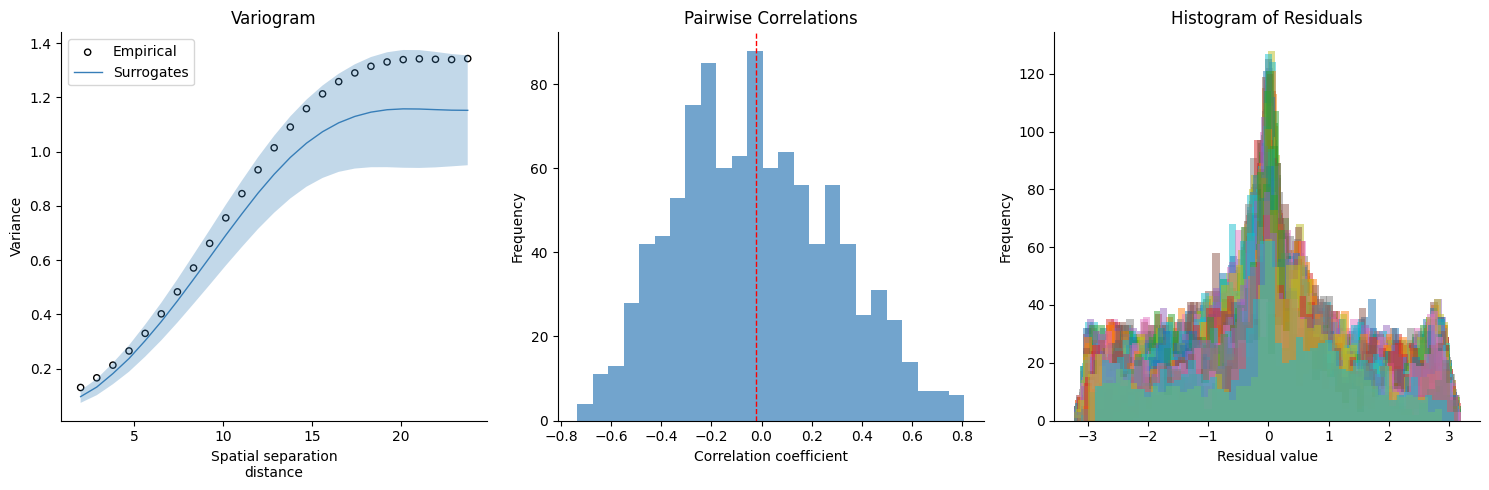
In the above example, we loaded subcortical data where the data is a volume in MNI152 2mm space (based on cortico-subcortical gradients generated using the connectopic mapping approach, see References), and the mask image is a label volume in MNI152 space where the ROI is labelled as “1” and the non-ROI (the rest of the volume) is labelled “0”. It is important to make sure this is the case!